
How Skywalk Compares
A live connection versus emailed reports.
Four things a connection should be
An emailed report is none of them. Everything Skywalk does, from the API to the MCP server to the work we build for you, comes from getting these four right.

Live
What AppFolio® holds when you ask, refreshed on request or on your schedule. Not last night's export.
Complete
Forty-plus endpoints, each record with its own ID. Properties, units, leases, tenants, ledgers, work orders, owners.
Two-way
Tenant charges, bills, purchase orders and vendors go back into AppFolio® through the API. Nobody keys them in by hand.
Yours to control
You choose how it signs in, how long it lives and what it may touch. Writes are off until you grant them, every action is logged, revoke in one click.
Side by side
The difference between a snapshot and something you can build on.
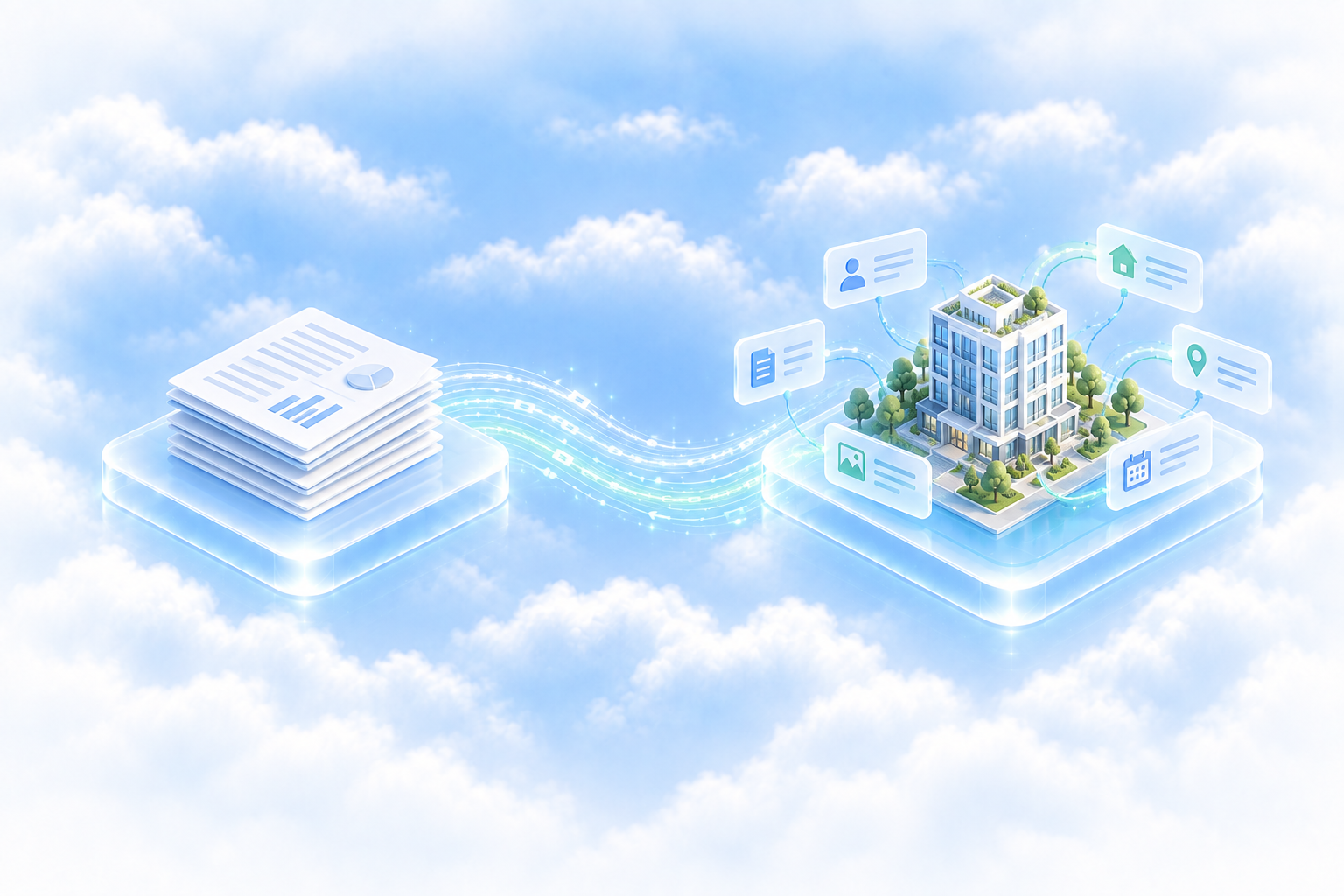
A snapshot, emailed out.
A report you schedule inside AppFolio®, sent by email, then parsed into your tool.
 Skywalk
A connection you can build on.
Direct to your live AppFolio® data, each record with its own ID, and a way back in.
The same connection powers the API, the MCP server, and everything we build for you. Skywalk is an independent third party and is not affiliated with AppFolio, Inc.
Built for builders
A record from Skywalk is a record you can join on. Every object carries its own ID and the IDs of everything it belongs to, so a tenant stays the same tenant after a move, a rename or a renewal.
Records you can join on.
Both directions
Your AppFolio® data comes out current. Tenant charges, bills, purchase orders and vendors go back in. One connection, on your say-so.
Read your portfolio live.
Properties, units, leases, tenants, ledgers, work orders, owners. Ask from a chat window, a spreadsheet or your own code and get the same answer.
Every plan · every keyWrite charges and bills back.
Post tenant charges, bills and purchase orders, and add vendors, through the API. Off by default: you turn on each scope and see every write in the log.
Your decision · per scopeScale to the moon
The connection that runs one manager's owner statements is the same one that puts a Connect AppFolio® button in a product with hundreds of customers. Same schema, same IDs, same controls.

Connect once. Point everything at it.
A property manager signs in once. Claude, the spreadsheet, the BI tool and whatever we build for you all read the same portfolio through that one connection.
Skywalk for executivesOne integration. The hundredth account like the first.
A PropTech company's customers each connect their own AppFolio® in about three minutes. Each stays its own connection with its own permissions. Nothing is pooled, nothing is parsed from an email.
Skywalk for PropTech“We've automated our key weekly portfolio overview report quicker than ever. What used to be a manual task often with human error is now automated, based on live AppFolio® data, and formatted cleanly.”
How It Works
Connected in three minutes
Sign in, add Skywalk to your tools, ask a question. Here is exactly what happens at each step, and what stays in your hands the whole way.
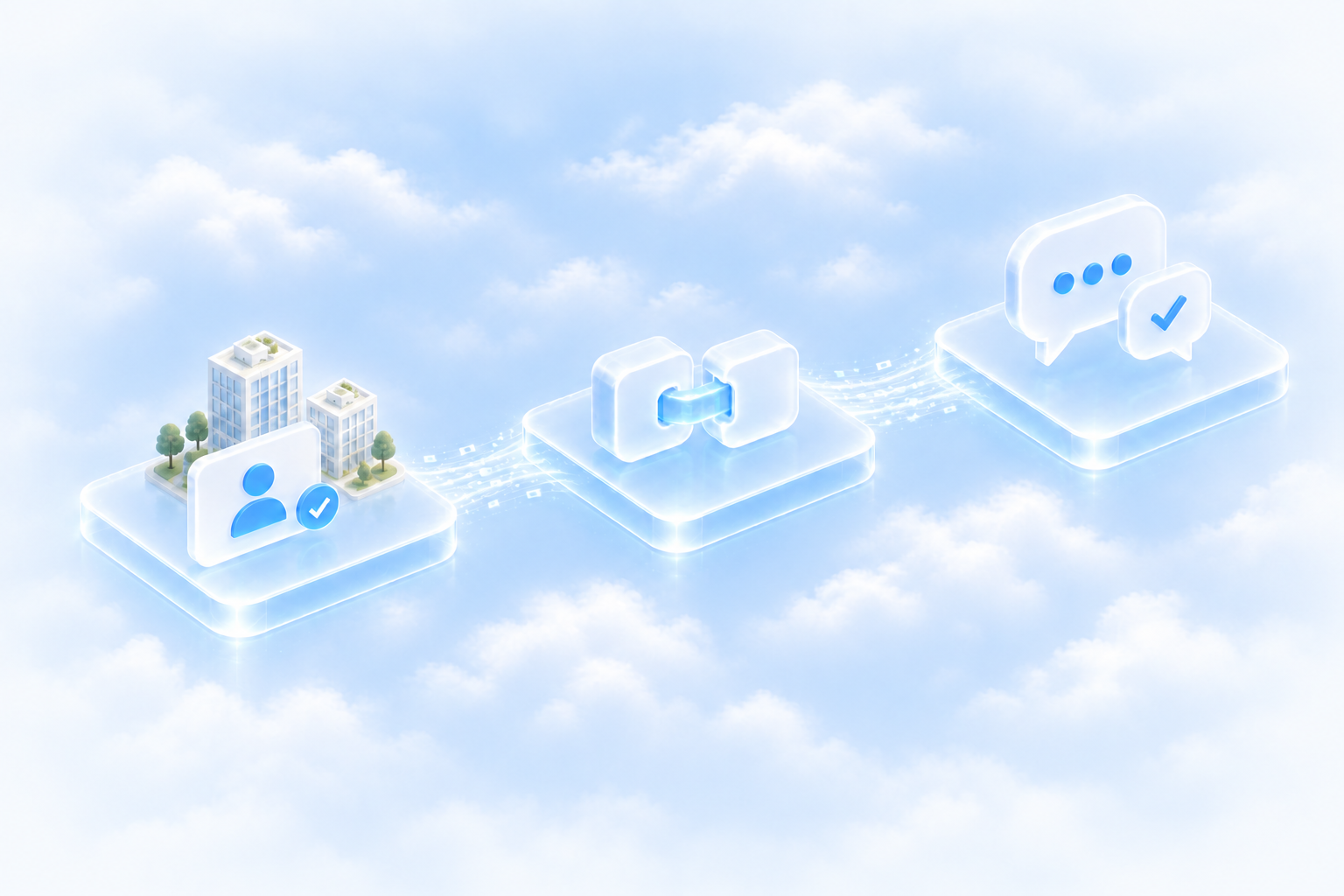
Connect your account
Sign in using your existing AppFolio® account.
Add Skywalk to your tools
One link into the AI or app you use.
Ask for something
Live data, in the answer, about three minutes in.
What happens at each step
No developer, no API keys, no integration project. Just the parts you would want to know before you click.
Connect your AppFolio® account
From your Skywalk dashboard, click Connect and sign in using your existing AppFolio® account. Skywalk keeps that sign-in encrypted. Use your own login for the quickest start, or a dedicated Skywalk user for a connection that never expires.
Add Skywalk to your tools
Copy one MCP link into Claude, ChatGPT, Copilot, Cursor, or anything that speaks MCP. Spreadsheets and BI tools connect the same way. Your developer gets the same live data through the REST API.
Ask, build, or automate
Your data is ready the instant the connection completes: every property, unit, lease, tenant, ledger line, and work order, in clean records with stable IDs. Ask a question, fill a spreadsheet, or hand off a whole workflow.
Under the hood
Three parties. The only things that move are your question and the answer.
Ask, in your tool
Translate, check, log
Answer, as it stands now
What your AI never sees: your AppFolio® login. Skywalk keeps it encrypted with AES-256 and uses it only to sign in to AppFolio® for you.
What you can end at any time: the connection. Revoke it in the dashboard, or remove the dedicated user in AppFolio®, and every tool goes quiet at once.
Two ways to connect
Both take about three minutes and deliver the same live, cleanly formatted data. Choose by how long you need the connection to live and how much you want to control.
Start with your own login today and switch to a dedicated user whenever you like. Nothing you have built changes.
What you get the moment you connect
Not a sample. Not a nightly export. Your portfolio, ready to use.
Clean, ready-to-use data
Every property, unit, lease, tenant, ledger line, and work order, in consistent records with stable IDs. Nothing to reformat.
Live, not last night’s report
Answers reflect AppFolio® as it stands right now, whether you ask from a chat window or a spreadsheet.
Read-only until you say otherwise
Writes are off by default. Turn them on per scope for an API key, and review every change in the log.
Your first ten minutes
A suggested order. Every item is a question you type or a switch you flip, and none of them changes anything in AppFolio®.
Connect and paste the link
Sign in using your existing AppFolio® account, copy the MCP link into your assistant. Both take about three minutes together.
Ask which leases expire next quarter
The first answer proves the connection: real units, real names, real dates.
Ask for a rent roll, as a table
Paste it into the spreadsheet you already keep, and notice it took one sentence instead of an export.
Describe the report you wish you had
Vacancies scored your way, owners down year over year, vendors past due. Say it in plain English and refine the answer.
Ask for the open work orders
By vendor and age, straight from AppFolio®. Then check the log: every call is there.
Hand the link to a teammate
Same connection, their own conversation. Nothing else to set up.
Same connection, through the API
Once the account is connected, create a key in the dashboard, scoped to read or read plus write. Forty-plus endpoints, scheduled jobs that keep the data current, webhooks that send it on to tools like Zapier, and the same stable IDs your team sees in the chat.
The API pageGood to know
Do I need to install anything?
No. The MCP server runs on Skywalk's side. Your assistant needs one link in its settings, and your developer needs one key.
What happens at day 30 on my own login?
The connection pauses. Sign in again and it picks up where it left off. If you never want it to pause, switch to a dedicated Skywalk user.
Can I change what Skywalk is allowed to do later?
Yes. Adjust the dedicated user’s permissions in AppFolio®, or the write scopes in Skywalk, and the change applies immediately.
Can my developer use the same connection?
Yes. The REST API, the MCP server, and anything we build for you all run on the connection you set up here.
More on permissions, logging, keys and encryption: Privacy and security.
Real-Time Data
Current when you ask
Skywalk keeps your AppFolio® data ready to answer at once, refreshes it when you ask or on the schedule you set, and passes it to your tools the moment it is refreshed. No nightly export, no report to parse.

How a request works
Fast first, then fresh. You never wait on AppFolio® to get an answer, and you always know how current the answer is.
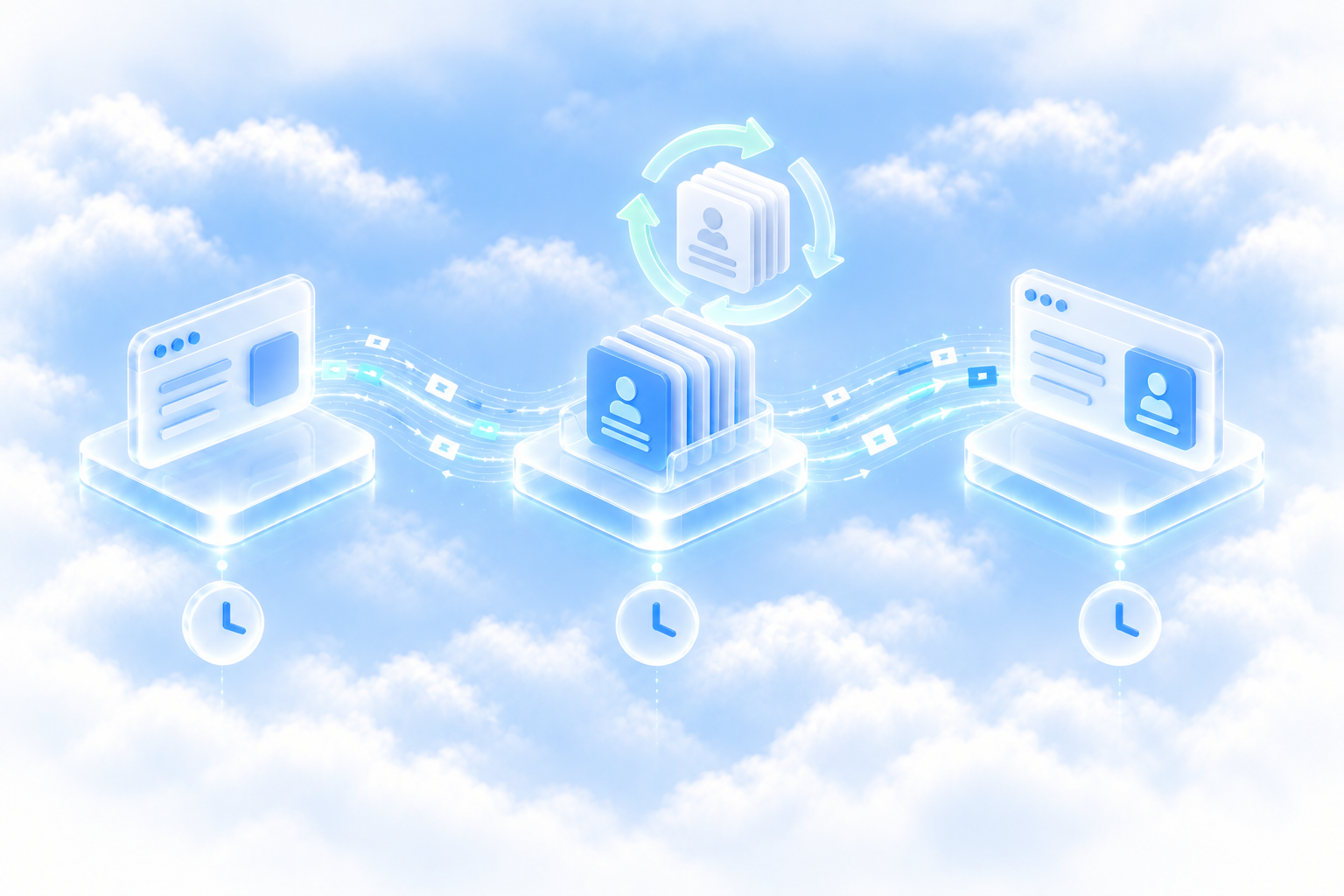
You ask
In Claude or ChatGPT, in a spreadsheet, or from your own code.
Skywalk answers at once
With the data it already has, stamped with the time it was read, while it fetches the latest behind the answer.
The fresh data lands
The answer updates, the time stamp moves forward, and the fresh data can be sent on to your tools.
How long a refresh takes: usually well under a minute, and every answer tells you the moment it is done. Code can check back every ten seconds or so until then; asking more often does not speed it up.
How current it is: every answer carries the time it was read from AppFolio®, so figures can lag by a few minutes while a refresh runs and you always know by how much.
Refreshed the way you choose
One connection to your portfolio, four ways to keep what you see current and get it where it needs to go.

On demand.
Ask, and Skywalk answers at once and refreshes behind the answer.
On a schedule.
Skywalk refreshes what you choose every few minutes, hours or days. No server of your own.
Out to your tools.
A webhook sends the fresh data to your system or a tool like Zapier the moment it lands.
Back in.
Tenant charges, bills, purchase orders and vendors go into AppFolio®, on scopes you turned on.
What current means in each tool
Same connection, same data, same freshness. Only the way you ask changes.

Your assistant always has the current numbers.
Ask in Claude, ChatGPT or Copilot and Skywalk reads AppFolio® for you. If a refresh is still running, the answer says so, and a minute later it is current.
The MCP serverFast answers, a status you can trust.
Every response carries its status and retrieved time. Poll while it reads updating, schedule jobs so it rarely does, and add a webhook so the fresh data comes to you.
For developersA report that refreshes itself.
Schedule the data your report needs and have each refresh sent to the tool that builds it. Or tell us the report you wish you had and we build it on your account.
Have us build itForty-plus endpoints, grouped the way you think
Complete, with a stable ID on every object, so a tenant stays the same tenant through every move and renewal.

Financial
Cash flow · Balance sheet · General ledger
Property data
Properties · Units · Unit photos
Leasing
Guest cards · Applications · Vacancies · Leases
Accounting
Bills · Tenant ledgers · Bank activity
People
Tenants · Owners · Vendors
Operations
Work orders · Attachments · Letters · Emails (beta)
Good to know
The questions people ask before they connect.
Is it really live?
It is current. Skywalk answers at once from the data it holds, refreshes it from AppFolio® when you ask or on your schedule, and every answer tells you when it was read. Next to a report emailed last night, that is a different world.
Do I have to poll?
Only if you want to wait for a refresh in the same request. Most integrations schedule jobs so the data is already current, and add a webhook so the result is posted to them.
Does Skywalk keep a copy of my data?
Yes, so requests answer at once. It is encrypted at rest and refreshed on request or on your schedule. Revoke the connection and it stops refreshing; ask us and we delete it. Privacy and security has the whole picture.
How many scheduled jobs can I run?
Each plan sets how many jobs you can schedule and how often they run. Compare plans, or ask us and we will suggest a schedule for your portfolio.
Privacy and Security
Your data, on your terms
You sign in using your existing AppFolio® account. Skywalk reads only what you allow, writes only where you turn it on, and logs every action. Here is the whole picture, in one place.

Six things true of every connection
Whether you ask in a chat, run a report from your own code, or onboard a customer through your product, these hold. Written down so you can hold us to them.

01Your login stays encrypted.
Encrypted with AES-256, used only to connect to AppFolio® and never shown to your AI. Remove it from your dashboard at any moment.
02You choose how long it lives.
Your own login connects for 30 days, then asks again. A dedicated Skywalk user you create in AppFolio® lives until you remove it.
03You set the permissions, in AppFolio®.
A dedicated user sees and does exactly what you grant it. Change it there and the change applies at once.
04Read-only until you say otherwise.
Writes are off by default. You turn them on one scope at a time, for an API key; an AI assistant never writes at all.
05Every action is logged.
Reads and writes, by person, key and tool, in your dashboard. Yours to export whenever your accountant asks.
06Never pooled.
When a PropTech product onboards its customers, each customer's AppFolio® stays its own connection, with its own permissions, lifetime and log.
Skywalk API is an independent third party and is not affiliated with AppFolio, Inc. AppFolio® is a registered trademark of AppFolio, Inc.
Where your data goes
Three parties. AppFolio® stays the system of record, Skywalk holds only what it needs to answer quickly, and your tools get exactly what you allow.

Still the system of record
Skywalk
A sign-in, a copy and a log
Exactly what you allow
Writes are a decision
Reading is on from the first minute. Writing back to AppFolio® is something you turn on, one scope at a time, and every write leaves a line in your log.

Who, what, when, from which key and under which scope. Every read is there too. Why the MCP server only reads.
Keys, webhooks and encryption
The details an IT reviewer asks for.
API keys with a job.
Sent in the X-API-Key header. Read, or read plus write, limited to chosen endpoints, revoked in one click. Keys live in your servers, never in a browser.
Signed webhooks.
HTTPS only. Every delivery carries a SHA-256 checksum of the body and an HMAC-SHA256 signature made with your Webhook Secret.
Encrypted, end to end.
AES-256 at rest for the copy Skywalk keeps, HTTPS only on the wire, in both directions.
A dashboard you can audit.
Two-factor sign-in. Every connection, key, scheduled job and webhook in one place, with the log of every read and write, yours to export.
More on Enterprise.
A dedicated environment, single sign-on and an audit export, with people on call. Compare plans.
Trust your customers can see
When a property manager connects their AppFolio® to your product, everything above applies to them, and they can see it.

The consent screen carries your name.
It lists the reads and the writes your product asks for, separately. They click Allow, or they don't.
Their credentials never reach you.
They sign in using their existing AppFolio® account. Your product holds nothing it has to protect.
Skywalk for PropTech: the business case, the partner path and the plans.
Questions we get
The ones an owner, an accountant or an IT reviewer asks first.
Does Skywalk store my AppFolio® password?
No. You sign in using your existing AppFolio® account. Skywalk holds a connection token you can revoke from your dashboard at any moment.
What happens when I revoke a connection?
Every tool on it goes quiet at once: the AI assistant, your keys, your scheduled jobs. Removing the dedicated user in AppFolio® has the same effect.
Can writes break my books?
Write scopes are off until you turn them on, only API keys can write (an AI assistant cannot), and every write is in the log with the key that made it. Start read-only and add scopes when you are ready.
Where do I see what was read and written?
In your dashboard, by person, key and tool, with the data-update history beside it. Export it whenever you like.
Is Skywalk affiliated with AppFolio?
No. Skywalk API is an independent third party. AppFolio® is a registered trademark of AppFolio, Inc.